Platform
What every system StarlingTek runs gets
Whether we built it or you brought it, every system we host runs on StarlingTek, a platform we wrote. Every feature here works today. You can drive it from the stk command line on the server or from the web admin panel.
Deploys
Deploys that check themselves
- Builds from GitHub on every push to the site's branch, by webhook or a five-minute poll.
- Private repositories use a read-only deploy key scoped to that one repository.
- The new container starts beside the live one. Traffic only moves after it passes a health check.
- No Dockerfile needed for a Node server or a static site. A Dockerfile in the repo is used when there is one.
- Deploy history with each deploy's full log, secrets scrubbed, and the failing step when one fails.
Rollback
Going back is quick
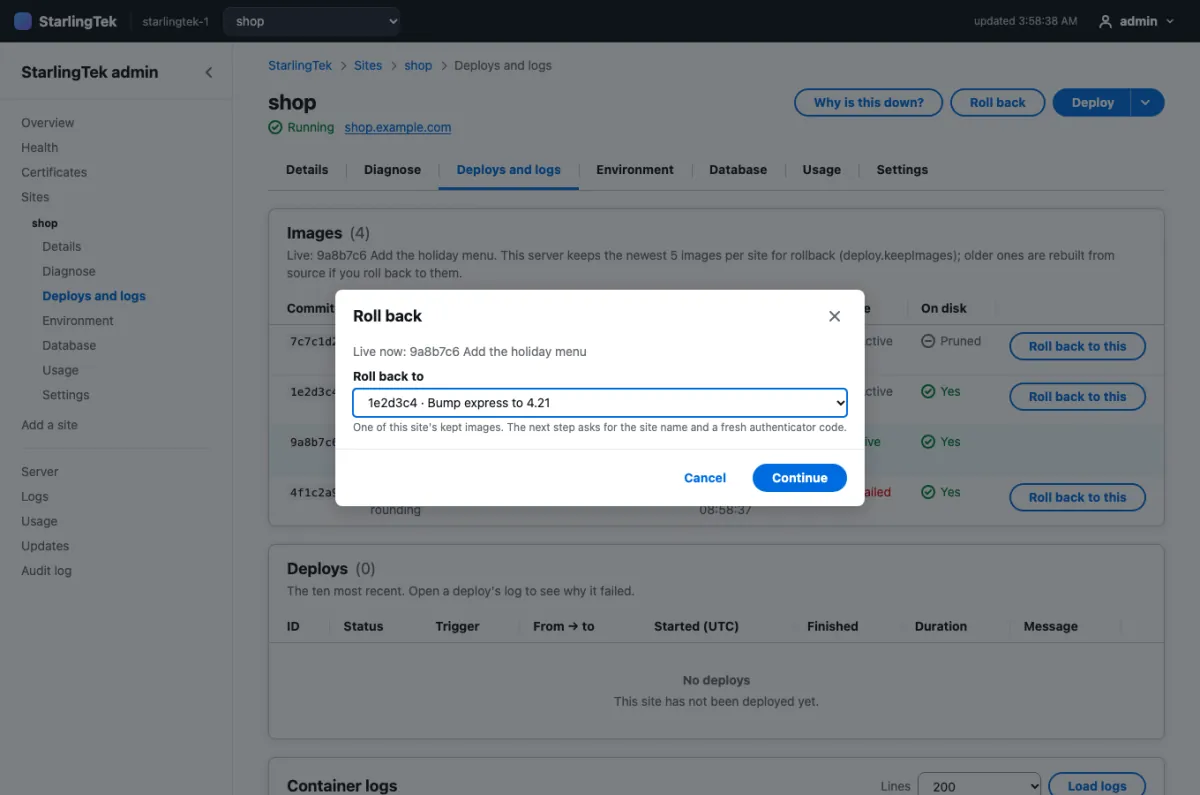
- The newest five images per site are kept by default, so a rollback starts an image that already exists. No rebuild.
- Roll back to the last known-good release, or to any kept image.
- Automatic recovery: restart first, then roll back to the last known-good release, with a cooldown so it can't loop.
HTTPS
Certificates you don't think about
- Caddy gets and renews Let's Encrypt certificates for every domain.
- The certificates view lists every name, its issuer, expiry and last renewal.
- When a renewal fails, it says why in plain words, with a retry button.
- Alerts at 21 days before expiry, and again at 7.

Domains
A Cloudflare DNS wizard
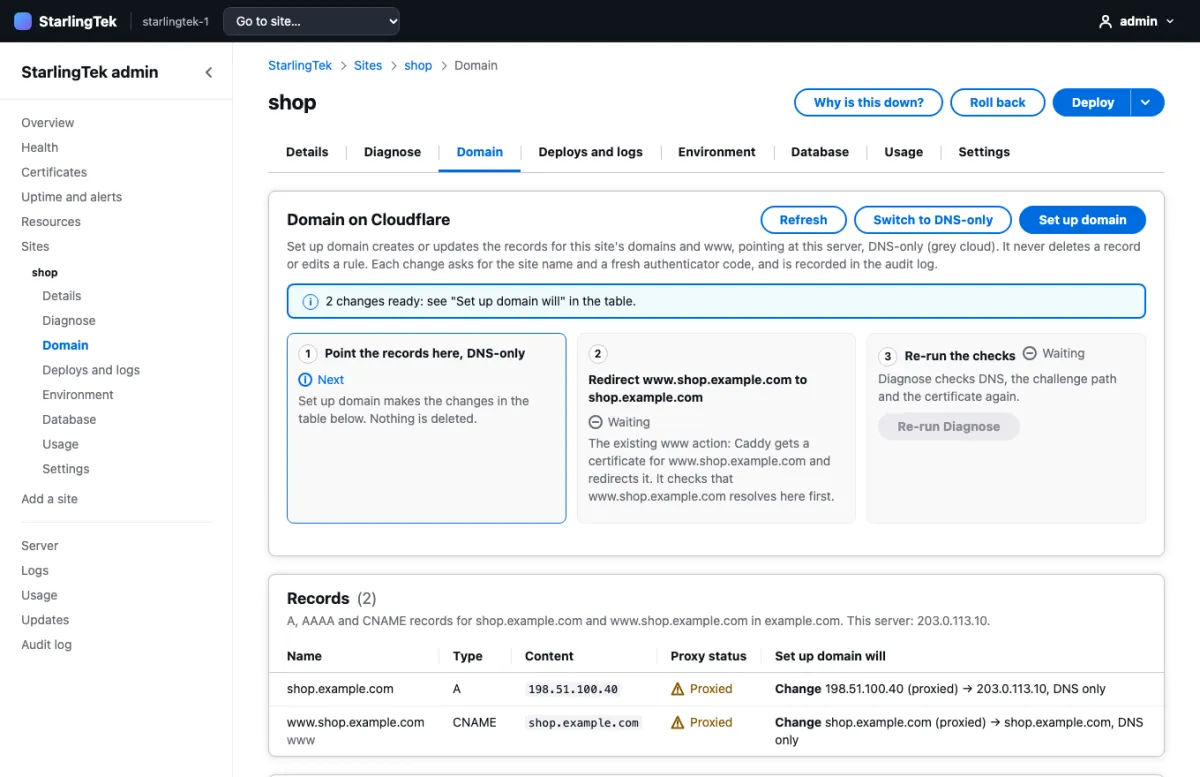
- Connect a Cloudflare API token once, then set up each site's domain from its Domain tab.
- Creates or updates the A, AAAA and CNAME records to point at the server, and sets up the www redirect.
- It never deletes a record or edits a Cloudflare rule. It shows you each change before it makes it.
- Flags Cloudflare settings that block certificate renewal, like a rule that redirects the challenge path.
Monitoring
Uptime checks and alerts
- Each site is checked once a minute from the outside, through DNS, TLS and Caddy, at its home page and its health route.
- Uptime over 24 hours, 7 days and 30 days, counted from real checks.
- One incident, one alert: three failures in a row send one "down" message, and the first good check sends "back up".
- Alerts go to ntfy, Discord, or both. Disk space, restart loops, certificates and failed backups alert too.
- A "Why is this down?" button walks DNS, port 80, the certificate, the route, the container and the health check, and names the first broken link.
Resources
Resource graphs
- CPU, memory and disk for the server and each site's container.
- Ranges from 6 hours to 30 days.
- Each container's memory limit is drawn on its chart, so you can see how close it runs.
Databases
Managed Postgres, set up properly
- Connects a site to a managed DigitalOcean PostgreSQL cluster, which lives off the server and has its own backups.
- Checks the things that usually go wrong by hand: the server in the cluster's trusted sources, the CA certificate, and the connection string.
- Warns when a site connects as the cluster admin instead of its own role.
Backups
Scheduled database backups
- Daily or weekly per site. Each dump is read back to check it before it counts.
- The newest seven are kept on the server and copied to DigitalOcean Spaces.
- A failed backup is retried, and alerts if it keeps failing.
- Test a restore without touching the live database.
Accountability
An audit log of every change
- Every admin action: sign-ins, failures, deploys, rollbacks, settings and DNS changes.
- Search by action, site, result, IP, date range or free text, and export to CSV.
- Secrets never reach it: entries hold names, never values.

Operations
The stk command line
stk adda repository and a domain, and the site is built, given a certificate and health-checked.stk status,stk deploy,stk rollback,stk logs,stk doctor.- A one-command installer for a fresh Ubuntu droplet, and an encrypted bundle to stand up a second, identical server.
See how the pieces fit
One server, Caddy in front, a container per site, and a control plane watching them.